
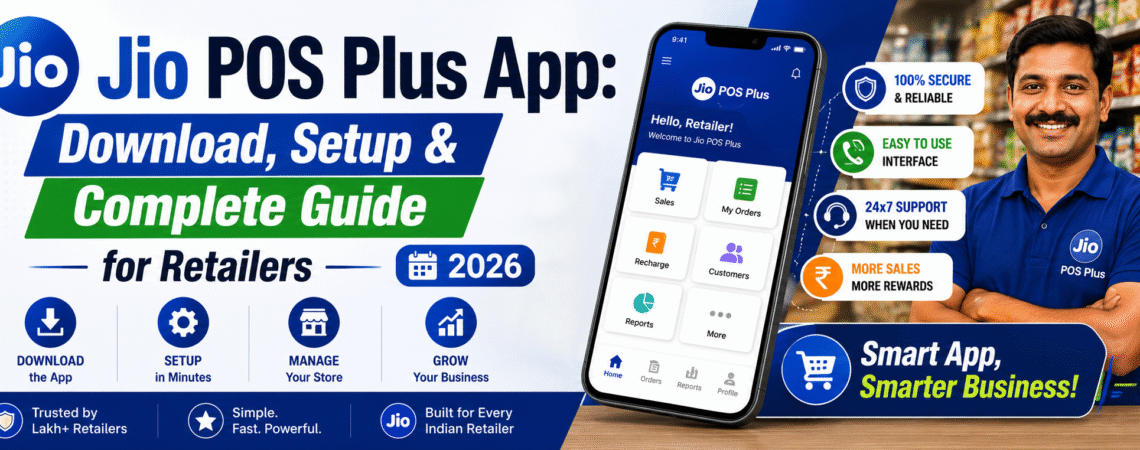
If you run a mobile recharge shop, a kirana store, or any small business in India that offers Jio services to customers, Jio POS Plus is the one app you cannot afford to ignore. It is Jio’s official retailer platform — built specifically for authorised Jio retailers to do recharges, sell SIM cards, manage transactions, and track earnings, all from a single smartphone.
Unlike the regular MyJio app that every Jio customer uses, Jio POS Plus is a business tool built exclusively for the retailer network. If you are also looking to understand the broader Jio partner ecosystem, read our guide on the Jio Partner Center.
This guide covers everything from scratch — download, login, recharging customers, commission rates, and fixing common problems.
What is Jio POS Plus — And Who Should Use It?
Jio POS Plus (Point of Sale Plus) is Jio’s official B2B retailer app, launched by Reliance Jio [External]. It is designed exclusively for authorised Jio retailers and distributors — not regular customers. You need a Jio Retailer ID and password to log in.
| Feature | MyJio App | Jio POS Plus |
|---|---|---|
| Who it’s for | Regular Jio customers | Authorised Jio retailers |
| Recharge | Your own number only | Any Jio number |
| Commission earned | No | Yes — on every transaction |
| SIM activation | No | Yes |
| Login type | Mobile number | Retailer ID + Password |
⚠️ Important: If you are not yet a registered Jio retailer, you cannot use Jio POS Plus. To register, contact your nearest Jio distributor or visit the official Jio Partner Center portal with your Aadhaar card, PAN card, and shop details.
How to Download Jio POS Plus
Only download from the Google Play Store — never from any third-party website or APK link.
- Open the Google Play Store on your Android phone
- Search for “Jio POS Plus” or go directly to the Jio POS Plus Play Store page
- Make sure the developer name shows as Reliance Jio
- Tap Install and wait for the download to complete
- Open the app and allow all permissions — location, camera, and storage are required for KYC and SIM activation
⚠️ Warning: Never install Jio POS Plus from a third-party APK file. Fake versions of this app are used to steal retailer credentials and drain wallet balances. If your Jio SIM itself has issues, check our guide on what to do if your Jio SIM is blocked.
How to Log In to Jio POS Plus
For a detailed login walkthrough including password reset steps, see our dedicated Jio POS Plus Login guide.
- Open the Jio POS Plus app
- Enter your Retailer ID — this is the ID given by your Jio distributor when you registered
- Enter your Password — this is set during registration, not your Jio mobile PIN
- Fill in the CAPTCHA shown on screen
- Tap Login — you will be taken to the retailer dashboard
💡 Tip: Forgot your Retailer ID or password? Call your Jio area distributor or contact Jio’s retailer helpline at 1800-889-9999 (toll-free). You can also find official support options on the Jio Support page.
How to Recharge a Customer’s Number
Once logged in, doing a recharge takes under 30 seconds:
- Tap Recharge on the dashboard
- Enter the customer’s Jio mobile number
- Select the recharge plan the customer wants — not sure which plan to recommend? Check our complete Jio prepaid recharge plans guide for the latest options
- Confirm the number and plan, then tap Proceed
- The amount is deducted from your retailer wallet balance
- A confirmation SMS is sent to the customer’s number instantly
- Your commission is credited to your account automatically
💡 Note: Make sure your retailer wallet has enough balance before doing recharges. Top up your wallet through your distributor or via the wallet top-up option inside the app.
Commission Rates — What Do Retailers Actually Earn?
Commission rates are set by Jio and updated periodically. Always verify the latest rates through your distributor or the official Jio retailer portal.
| Transaction Type | Commission Rate | Example Earning |
|---|---|---|
| Prepaid recharge (under ₹100) | ~1.5% – 2% | ₹1.50 on a ₹99 recharge |
| Prepaid recharge (₹100–₹500) | ~2% – 2.5% | ₹5.50 on a ₹239 plan |
| Prepaid recharge (above ₹500) | ~2.5% – 3% | ₹22 on an ₹839 plan |
| New SIM activation | Fixed ₹20–₹40 | Per activation |
| JioFiber plan recharge | ~1.5% – 2% | Varies by plan |
💡 Pro Tip: A retailer doing 50 recharges a day at an average of ₹239 per recharge earns roughly ₹6,500 – ₹8,000 per month in Jio commission alone. If you want to expand your services further, read about JioFiber plans — retailers who sell JioFiber connections earn additional commission per activation.
Common Problems and How to Fix Them
App shows “Invalid Credentials” at login Double-check your Retailer ID — it is a 10-digit number, not your mobile number. If credentials are correct but still failing, your account may be temporarily locked. Contact your distributor or visit the Jio Support Center to reset it.
Recharge failed but wallet balance was deducted Do not panic and do not retry immediately. Wait 10–15 minutes — in most cases the amount is auto-refunded. If not refunded within 2 hours, call 1800-889-9999 with your transaction ID. This is similar to how Jio data issues are resolved — always wait before retrying.
App not loading or stuck on splash screen Force-close the app and clear cache — Settings → Apps → Jio POS Plus → Clear Cache. If that does not help, uninstall and reinstall from the Play Store. A stable internet connection of at least 2 Mbps is required.
Wallet top-up not working Wallet top-ups typically go through your distributor, not directly through the app. Some retailers are eligible for direct UPI top-ups — check with your Jio TSM (Territory Sales Manager). Learn more about how Jio payments work on the Jio Payments Bank guide.
Commission not showing in account Commission is usually credited within 24 hours. Check the Ledger or Commission section in the app. If it has been more than 48 hours, raise a complaint through the app’s support section or contact Jio customer care.
Frequently Asked Questions
Is Jio POS Plus available for iPhone?
No. Jio POS Plus is currently only available for Android devices on the Google Play Store.
Can I use Jio POS Plus without being a registered retailer?
No. You must have a valid Retailer ID and password issued by a Jio distributor to log in. Read our Jio Partner Center guide to understand the registration process.
Is there a limit on how many recharges I can do per day?
There is no fixed limit mentioned by Jio. However, your daily transactions are subject to your wallet balance.
How do I increase my wallet balance?
Contact your Jio area distributor — they manage wallet top-ups for retailers in your region. For general Jio account management, the MyJio app also has useful tools for tracking usage.
Conclusion
Jio POS Plus is the backbone of every serious Jio retailer’s business. If you are doing even 20 recharges a day and not using it, you are losing commission, time, and customer trust. With this guide, you can go from first login to full operation confidently.
For more Jio retailer guides, tips, and updates — bookmark Jiomania.in and subscribe to our newsletter.
If you have any questions, drop them in the comments below — we will reply.


