🧭 Overview
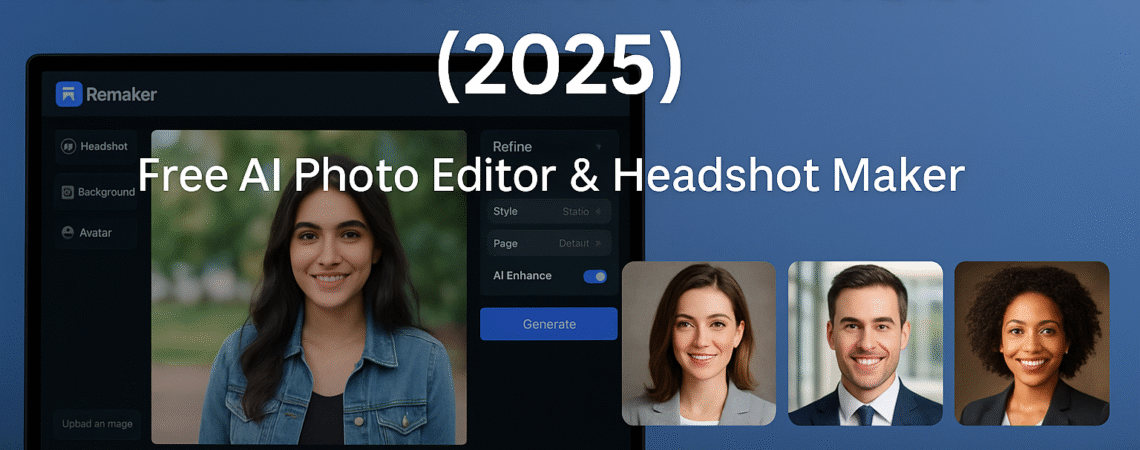
Artificial Intelligence is changing how we create content — and Remaker AI is one of the most popular tools leading this wave. Remaker AI does it all online, whether you want to edit photos, replace backgrounds, generate AI headshots, or make studio-grade images without expensive gear.
This guide will explore how it works, its features, pricing, and the best alternatives for 2025.
💡 What Is Remaker AI?
Remaker AI is an AI-based image editing and generation platform that lets you transform your photos instantly. It uses machine learning to analyze images and automatically enhance, retouch, and remake them per your instructions.
Popular use cases:
- Create professional LinkedIn headshots in minutes.
- Remove backgrounds or swap faces with AI accuracy.
- Generate product photos for e-commerce and marketing.
- Enhance portrait lighting and clarity automatically.
⚙️ How to Use Remaker AI (Step by Step)
1️⃣ Visit remaker.ai and sign up for a free account.
2️⃣ Upload your photo or select a template.
3️⃣ Choose a tool – Headshot Maker, Background Changer, or AI Avatar.
4️⃣ Adjust settings (lighting, pose, style).
5️⃣ Click “Generate” – your AI-enhanced image appears in seconds.
6️⃣ Download it in HD or share it directly on social media.
💡 Pro Tip: Upload 3-5 high-quality photos of your face to train the AI for more realistic headshots.
🔍 Key Features and Benefits
| Feature | Description |
|---|---|
| AI Headshot Generator | Instantly creates corporate-style photos for LinkedIn and resumes. |
| Background Remover & Replacer | Deletes backgrounds accurately; lets you add studio or nature backdrops. |
| AI Avatar Maker | Generate creative avatars for gaming, social media, or marketing. |
| Batch Editing | Edit multiple photos simultaneously — saves time for influencers and brands. |
| Realistic Lighting Correction | Automatic face enhancement and shadow balancing. |
💰 Is Remaker AI Free or Paid?
Remaker AI offers a free version with limited exports and watermarked images.
To unlock HD downloads and unlimited edits, upgrade to the Pro plan (starting around $9/ 9/month).
| Plan | Price | Features |
|---|---|---|
| Free | ₹0 | Limited credits, watermarked output |
| Pro | ₹749 / month (approx.) | Unlimited HD images, priority AI speed |
| Business | ₹1,999 / month | Batch mode + commercial license |
🆚 Best Remaker AI Alternatives in 2025
If you want to try other AI photo editors, check these:
- Canva Magic Studio – AI image editing inside Canva with Magic Eraser & Background Replace.
- Adobe Firefly – Advanced AI generator with text-to-image and retouch tools.
- Fotor AI Editor – Lightweight, free alternative with portrait enhancement.
- Pixlr AI Suite – Quick browser editor with AI cutout and effects.
- Pika Labs – AI video editing for creators who want motion features.
🧠 Pros and Cons
✅ Pros
- Clean interface and fast results.
- Works on mobile and desktop.
- Excellent AI headshot output.
- Affordable subscription.
❌ Cons
- The free version has limited credits.
- Requires an internet connection.
- Some styles look slightly synthetic if the input photos are of poor quality.
💬 FAQs
Q1: Is Remaker AI safe to use?
Remaker AI follows industry data privacy standards and automatically deletes uploaded photos after processing.
Q2: Does it work on mobile?
Absolutely. Remaker AI works on any modern browser, including Android and iOS.
Q3: Can I create AI avatars for free?
Yes, but with limited export resolution and credits. Upgrade to Pro for HD avatars and commercial use.
Q4: Which AI tool is better — Remaker AI or Canva Magic Studio?
Remaker is strong for realistic portrait editing, while Canva Magic Studio is better for graphic design and layout.
🏁 Conclusion
Remaker AI is a powerful, user-friendly AI photo editor that brings studio-grade results to your browser. Whether you’re a creator, freelancer, or student needing professional photos on a budget, Remaker AI is worth trying in 2025.
👉 Try it here: Remaker AI Official Website


