
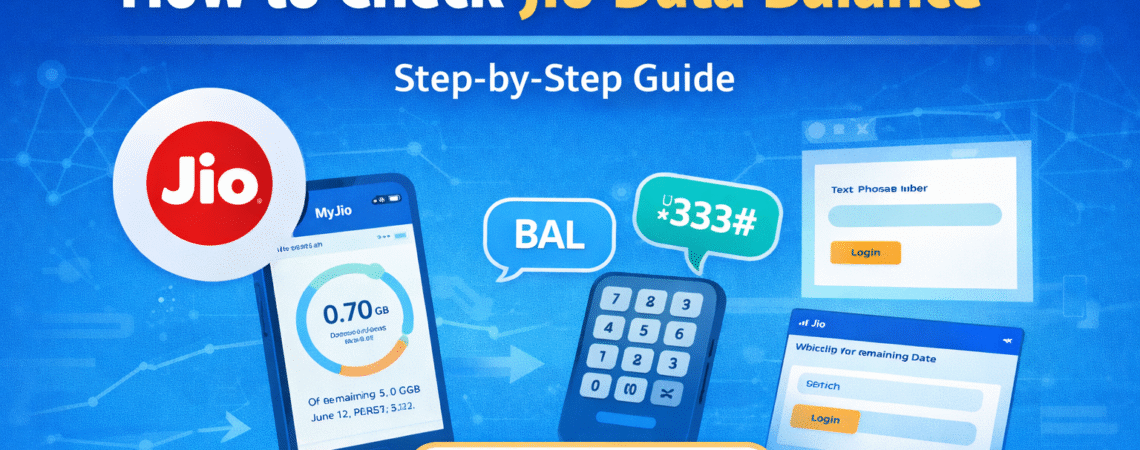
Keeping track of your mobile data usage is important, especially when you rely on the internet for daily tasks like browsing, streaming, and messaging. If you are using a Jio SIM, there are several easy ways to check your remaining data balance.
In this guide, we will explain different methods to check Jio data balance quickly.
Why Checking Data Balance Is Important
Monitoring your data balance helps you avoid unexpected slow internet speeds once your daily data limit is exhausted.
By checking your data usage regularly, you can:
- Track daily internet consumption
- Avoid running out of high-speed data
- Plan recharges in advance
- Manage mobile data more efficiently
Method 1: Check Data Balance Using MyJio App
The easiest way to check your Jio data balance is through the MyJio mobile application.
Steps:
- Download the MyJio app from the Google Play Store or App Store.
- Log in using your Jio number.
- On the home screen, you will see your remaining data balance and validity.
The app also shows detailed usage information including daily data usage and remaining plan validity.
Method 2: Check Jio Data Balance via SMS
You can also check your data balance by sending an SMS.
Steps:
- Open the messaging app on your phone.
- Send the following message:
BAL
Send it to 199.
You will receive a reply message showing your current plan details and remaining data.
Method 3: Check Data Balance Using Jio Website
Another simple way to check your balance is through the official Jio website.
Steps:
- Visit the Jio website.
- Log in with your Jio number.
- Check your active plan and remaining data on the dashboard.
This method is useful if you want to check your balance from a computer or laptop.
Method 4: Check Data Balance Using USSD Code
Some users prefer using USSD codes to quickly check balance information.
You can dial the following code:
*333#
After dialing, your current balance details will appear on the screen.
How to Monitor Daily Data Usage
If you have a daily data plan, it is useful to monitor your daily usage.
You can track daily consumption by:
- Using the MyJio app
- Checking phone data usage settings
- Reviewing usage alerts sent by Jio
This helps prevent your daily data from getting exhausted too quickly.
What Happens When Your Data Limit Is Reached?
Most Jio plans include a daily high-speed data limit. Once this limit is reached:
- Internet speed may reduce significantly
- High-speed data will reset the next day
- You can buy additional data packs if needed
Tips to Save Mobile Data
To avoid exhausting your data quickly, consider these tips:
- Disable background data for unused apps
- Reduce video streaming quality
- Use Wi-Fi whenever possible
- Monitor app data usage regularly
These small steps can help extend your daily data allowance.
Frequently Asked Questions
How can I check Jio data balance quickly?
The fastest way is to open the MyJio app, where your remaining data is shown on the home screen.
Can I check Jio data balance without the app?
Yes, you can send an SMS or dial a USSD code to check your balance.
Does Jio send data usage alerts?
Yes, Jio usually sends SMS alerts when your daily data limit is close to being exhausted.
Related Jio Help Guides
- Jio Data Not Working? Easy Fix Guide
- Jio Network Problem – Signal & Internet Solutions
- Jio SIM Not Activating – Step-by-Step Fix
- Jio Customer Care – Official Contact Information
Official Jio Support
For accurate information about your Jio plan, balance, and data usage, you can visit the official Jio help page.
Final Thoughts
Checking your Jio data balance regularly helps you manage your internet usage effectively. Whether you use the MyJio app, SMS, or USSD codes, Jio provides multiple ways to track your remaining data.
By monitoring your usage and following simple data-saving tips, you can ensure uninterrupted internet access throughout the day.


