
It happens to everyone. You just bought a new Jio SIM, or you switched phones, or you simply cannot remember which number is on which SIM — and now you need to find your Jio number quickly. Maybe someone is asking for it right now and you do not have it saved anywhere.
The good news is that finding your Jio number takes less than 10 seconds. You do not need balance, you do not need internet, and you do not need to visit a Jio store. This guide covers 5 simple methods that work on any phone — Android, iPhone, or even a basic feature phone.
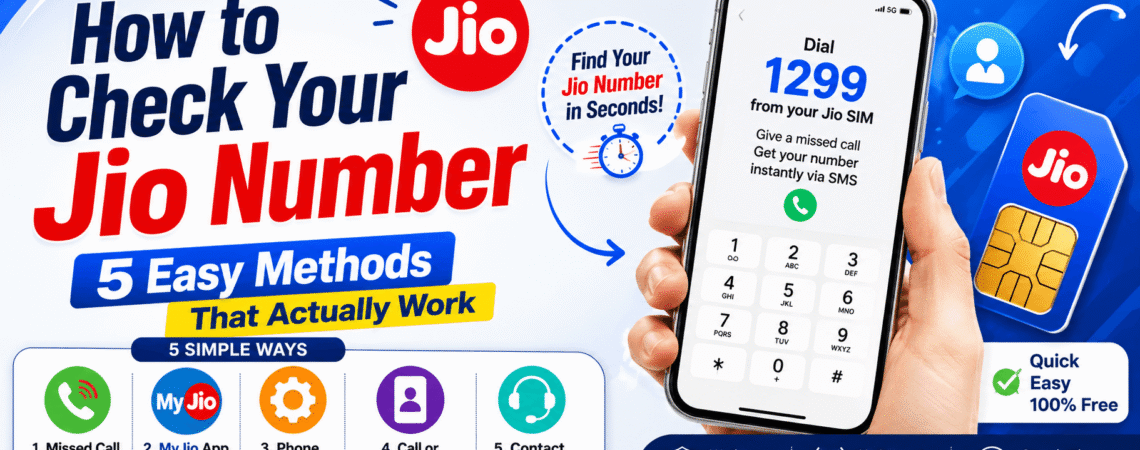
Method 1 — Give a Missed Call to 1299
This method works on all phones — smartphone or feature phone — and gives you your number plus your current plan details in one SMS.
- Open your phone’s Dialer
- Dial 1299 from your Jio SIM
- The call will disconnect automatically after a few seconds
- You will receive an SMS with your Jio number, current plan, data balance, and validity
No charges apply — from your Jio number, give a missed call to 1299 and you will receive an SMS with your balance and validity. This is also one of the most reliable methods when USSD codes are not working in your area.
Method 2 — Check on the MyJio App (Most Detailed)
The MyJio app is the easiest way to check your Jio number if you have a smartphone and internet connection.
- Download the MyJio app from the Google Play Store or Apple App Store
- Open the app — if your Jio SIM is in the same phone, it will auto-detect and log you in
- Your Jio number is displayed prominently on the home screen as soon as you log in
- For more details, tap My Account to see your number, plan, data balance, and validity
💡 Bonus: The MyJio app also lets you recharge directly, check data usage, and manage your Jio account — check our Jio Recharge Bank Offers guide to save money on your next recharge through the app.
Method 3 — Send an SMS to 199
This method works without internet and is useful when USSD codes are not responding on your network.
- Open your Messages app
- Type MYPLAN and send it to 199
- You will receive an SMS reply with your Jio mobile number and current plan details
Alternatively, you can send MY NUMBER to 199 — you will receive a reply with your Jio number. Bajaj Finserv
Standard SMS charges may apply depending on your active plan. Most active Jio plans include free SMS — so this will be free for the majority of users.
Method 4 — Call or Message Someone You Trust
Sometimes the simplest solution is the best one.
If outgoing calls are available on your Jio connection, call a family member or friend. Ask them to check the number displayed on their phone.
You can then save the number immediately.
You may also check apps where your phone number is already registered, such as WhatsApp or certain banking and payment apps.
For example, in WhatsApp, your registered number may be visible in the account or profile settings.
However, remember that an app may be registered with a different number. Always verify that the displayed number actually belongs to the Jio SIM you are checking.
Method 5 — Call Jio Customer Care at 198
If none of the above methods work — your SIM is newly activated, your USSD is not responding, or you cannot receive SMS — calling customer care is the most reliable fallback.
- Dial 198 from your Jio SIM (toll-free)
- Follow the IVR (voice menu) instructions
- Press the option for account information or number details
- Your Jio number will be read out or sent via SMS
You can also dial 199 or 1800-889-9999 (toll-free from any network) if 198 is not connecting.
Check Your Jio Number From Phone Settings (No Dialling Needed)
Many people do not realise that their Jio number is already saved in their phone’s settings — no dialling or app needed.
On Android:
- Go to Settings
- Tap About Phone or SIM Card Manager
- Select the Jio SIM — your number will be displayed
On iPhone:
- Go to Settings
- Tap General → About
- Scroll to the SIM section — your Jio number will be listed there
💡 Note: This method only works if the number was saved correctly when the SIM was first activated. Newly inserted SIMs sometimes do not show the number in settings — use Method 1 or 2 in that case.
Quick Reference — All Methods at a Glance
| Method | How | Works Without Internet | Works Without Balance |
|---|---|---|---|
| Dial *1# | USSD code | ✅ Yes | ✅ Yes |
| Missed call 1299 | Dial and disconnect | ✅ Yes | ✅ Yes |
| MyJio app | Open app → Home screen | ❌ Needs internet | ✅ Yes |
| SMS MYPLAN to 199 | Send SMS | ✅ Yes | Depends on plan |
| Call 198 | Customer care | ✅ Yes | ✅ Yes |
| Phone settings | Settings → About | ✅ Yes | ✅ Yes |
What to Do If Your Jio Number Is Deactivated
If your Jio SIM has not been recharged for a long time, the number may be at risk of deactivation. Here is how to check and fix it:
Check via USSD — dial *1#. If you see your number, the SIM is still active. If it shows an error, the SIM may be deactivated. If the MyJio app shows “No Active Plan,” your number might be deactivated soon.
Jio typically deactivates a number after 90 days of no recharge. To prevent this, recharge before the 90-day window closes. Check our Best Jio Plans Under ₹200 to find the most affordable plan to keep your number active.
If your number is already deactivated, visit the nearest Jio store with your Aadhaar card — they can help you reactivate or port the number to a new SIM.
How to Find Your Jio Number If You Lost Your SIM
Lost your phone or SIM and need to find your Jio number? You have two options:
Option 1 — Check via Aadhaar: A Jio store or the UIDAI website or app can show all numbers linked to your Aadhaar. Visit the nearest Jio store with your Aadhaar card and they will tell you all Jio numbers registered to your identity. Cashify
Option 2 — Check saved contacts or apps: Your Jio number may be saved in your Google account, WhatsApp profile, or banking apps. Open any of these and check your registered mobile number in the profile or settings section.
Frequently Asked Questions
What is the fastest way to check my Jio number?
Dial *1# from your Jio SIM — your number appears on screen in under 5 seconds. No internet, no balance, and no app required.
How do I check my Jio number without balance or internet?
Dial *1# or give a missed call to 1299 — both methods work without any active balance or data connection. You only need a Jio SIM with network signal.
Can I check my Jio number from another phone?
Yes — insert your Jio SIM into another phone and dial *1#. Your number will appear on screen. Alternatively, call a friend from your Jio SIM and ask them to note the number displayed on their screen.
How do I check my Jio number on a dual SIM phone?
If Jio is in SIM slot 1, dial *1#. If Jio is in SIM slot 2, dial *2#. Alternatively, the MyJio app will automatically detect whichever slot your Jio SIM is in.
Is there a charge for dialling *1# or calling 1299?
No — both *1# (USSD) and the 1299 missed call are completely free. No charges are deducted from your balance.
What if *1# is not showing my number?
Try *333# as an alternative USSD code. If that also does not work, send MYPLAN to 199 via SMS or call customer care at 198. Network congestion can sometimes cause USSD codes to fail temporarily — retrying after a few minutes usually resolves the issue. Also check our Jio SIM blocked guide if your SIM seems to have a deeper issue.
Conclusion
Checking your Jio number is one of those things that sounds complicated but takes under 10 seconds once you know how. The fastest method is dialling *1# — it works on any phone, without internet, without balance, and without any app. For more detail, the MyJio app and the 1299 missed call method give you your number along with your current plan and data balance in one shot.
Save this page — the next time you or someone around you needs their Jio number in a hurry, you will have the answer ready.
For more Jio guides, check out:


