
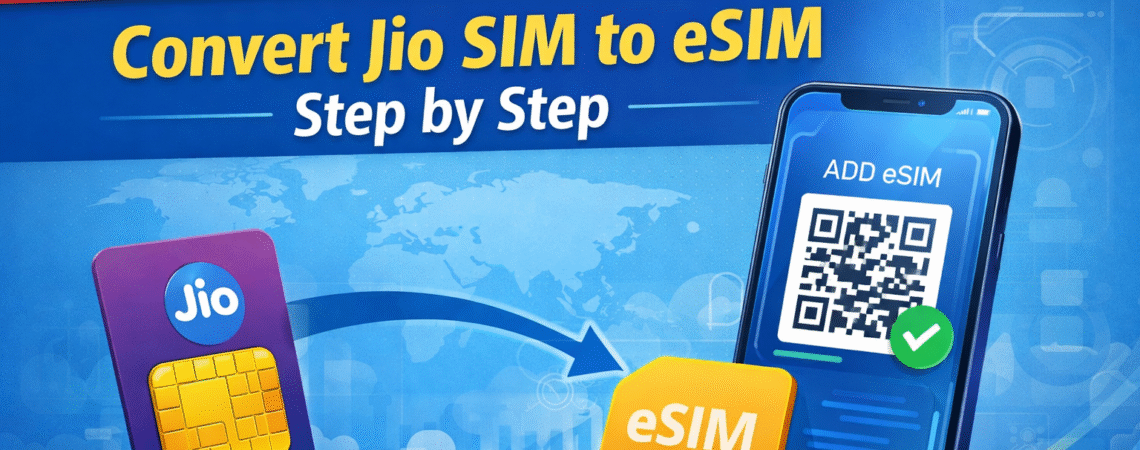
Many modern smartphones now support eSIM technology, which allows you to activate a mobile connection without using a physical SIM card. Jio also offers eSIM support for compatible devices.
If you recently bought a new phone or want to switch from a physical SIM to eSIM, the process is quite simple. In this guide, we’ll explain how to activate Jio eSIM step by step.
What Is Jio eSIM?
An eSIM (Embedded SIM) is a digital SIM built directly into your smartphone. Instead of inserting a physical SIM card, your mobile network details are activated through software.
Benefits of eSIM include:
- No need for a physical SIM card
- Easy switching between networks
- Better security
- Useful for dual-SIM setups
Many flagship phones now support eSIM.
Phones That Support Jio eSIM
Jio eSIM is supported on several devices including:
Apple
- iPhone XS and newer models
- iPhone 11, 12, 13, 14 and later
Samsung
- Galaxy S20 series and newer
- Galaxy Fold and Flip models
Google Pixel
- Pixel 3 and newer
Before activating eSIM, make sure your phone supports it.
How to Convert Jio SIM to eSIM
Follow these steps to activate eSIM.
Step 1: Send an SMS
From your Jio number send:
GETESIM <IMEI number>
Send this message to:
199
Step 2: Receive Confirmation
You will receive a confirmation SMS asking you to verify the request.
Reply with 1 to confirm.
Step 3: Receive QR Code
After verification, Jio will send a QR code to your registered email address.
Step 4: Scan the QR Code
Go to your phone settings:
Settings → Mobile Data → Add eSIM
Scan the QR code received from Jio.
Step 5: Activate eSIM
After scanning the QR code, your eSIM will be activated within a few minutes.
Advantages of Using Jio eSIM
Switching to eSIM offers several advantages.
No Physical SIM Needed
You don’t have to insert or remove SIM cards.
Better Dual SIM Management
Many phones allow one physical SIM and one eSIM.
More Secure
eSIM cannot be easily removed from the device.
Common Problems During eSIM Activation
Sometimes users face issues during activation.
QR Code Not Working
Make sure you scan the code using the correct phone settings.
eSIM Not Activating
Restart your phone and check your network connection.
SMS Not Sent
Ensure your SIM is active and has network coverage.
📱 Related Jio Guides
🌍 Official Resources
- Reliance Jio Official Website – Explore official Jio services, plans and latest updates.
- Jio Support & Help Center – Get official help articles and troubleshooting guides.
- Jio Prepaid Plans Official List – Check the latest prepaid plans directly from Jio.
Frequently Asked Questions
1. What is Jio eSIM?
Jio eSIM is a digital SIM technology that allows users to activate their Jio mobile connection without using a physical SIM card. The SIM profile is stored directly inside the smartphone.
2. How can I convert my Jio SIM to eSIM?
You can convert your physical Jio SIM to eSIM by sending an SMS with the format GETESIM <IMEI number> to 199. After verification, Jio will send a QR code that you can scan to activate eSIM.
3. Which phones support Jio eSIM?
Jio eSIM is supported on several smartphones including Apple iPhone XS and later models, Google Pixel devices, and selected Samsung Galaxy phones that support eSIM technology.
4. Is Jio eSIM free?
Yes, converting your Jio SIM to eSIM is free. However, your mobile plan and regular service charges will remain the same.
5. Can I use eSIM and physical SIM together?
Yes. Many modern smartphones allow users to use one physical SIM and one eSIM simultaneously, enabling dual-SIM functionality.
6. What should I do if Jio eSIM activation fails?
If eSIM activation fails, restart your phone, check your internet connection, and ensure you scanned the QR code correctly. If the issue continues, contact Jio customer care.
Final Thoughts
Jio eSIM makes mobile connectivity more convenient and flexible. Once activated, you can manage your connection without needing a physical SIM card.
If your device supports eSIM, converting your Jio SIM to eSIM is a quick and useful upgrade.


